
A while ago, I shot this quick video showing how a pixel-shifting DLP projector works:
It was mostly just an interesting subject for playing around with high-speed cameras, but I've also been interested in projector technology ever since ditching my TV for one. The one shown in that video used a white light source (I can't remember what type, but not laser) and an RGB color wheel. The base frame rate is 60Hz. This is divided into four pixel-shift periods of 1s/240 to render horizontal and vertical subpixels. Each pixel-shift period is further divided into three color periods of 1s/720, synchronized to a color wheel, to render the R, G, and B values using the DLP mirror duty cycle modulation.
Recently, there has been a trend of moving away from color wheels to RGB triple laser light sources. The three single-wavelength primaries define the vertices of a wider color gamut than can be achieved with color wheel filters, so these projectors can display more saturated colors. When combined with DLP pixel-shifting, the sequencing is mostly the same as it would be with a color wheel. I captured a video like the one above, but this time using an RGB triple laser projector:
The overall pattern is similar, cycling through the four pixel-shift positions in each 60Hz frame period and cycling through the colors in each 240Hz pixel-shift position. But, the color sequence is more complex than the simple 1/3 split of the color wheel. This projector seems to spend about 1/4 of the time each on blue and green, and 1/2 the time on red. The exact pixels illuminated during each color period also don't seem to strictly follow odd/even rows and columns as the simple test image hypothesizes. A triple laser source does offer more flexibility for color sequence optimizations, but I can't say I fully understand this one's sequencing.
The laser light source does also have one major downside compared to lamp or LED sources: laser speckle. This is an artifact of the coherent laser light bouncing off a rough surface (projector screens are rough compared to the wavelength of visible light) and creating interference patterns, like the pattern you see when pointing a laser pointer at a wall. It is subjective speckle, meaning it changes with viewing position. Projectors with a laser phosphor light source have it as well, but it's especially noticeable with RGB triple laser projectors because there are three different wavelengths that can create speckle.
How noticeable the effect is depends on a lot of things, including brightness, viewing distance, screen material, and personal tolerance. I have a matte white screen and find it mildly distracting, especially in bright flat-color regions. Ambient Light Rejecting (ALR) screens tend to make it even worse. Fabric screens seem to be best at reducing it, although in my brief testing they also reduced sharpness a bit.
Somewhere down this rabbit whole, I stumbled on this AVS Forum thread that started out as a screen material comparison, but at some point introduces the idea of vibrating the screen instead. (I love extremely long, detailed forum threads like this. I hope they don't go away in the age of asking AI for all the answers.) I was really curious to try this, so I got a couple of the mentioned exciters and a USB DAC. I just put in a tiny 55Hz sine wave and, like magic, the speckle was reduced by (subjectively) around 90%. No change in sharpness, no audible noise from normal viewing distances, and no need to replace my screen.
It's notoriously difficult to capture the speckle on camera, but I tried my best:
Apologies for the lack of visual context: what's shown there is not the whole screen, just a small white rectangle on a black background. To see the speckle at all, I had to zoom in pretty far, stop down to f/16, and use a very long exposure. Even so, this doesn't really capture what it looks like to the eye, nor the way the speckle pattern shifts with head movement. But you can see that with the shaker on, the speckle contrast is greatly reduced. The difference is even more pronounced by eye.
Most people on the AVS Forum thread use dual exciters, mounted on the sides or in the corners of the screen. I've switched over to a single small one driving the exact center of the screen, since there was already a convenient mounting point there. I use some plastic and cardstock to distribute the force from the exciter into the screen over a wider area:
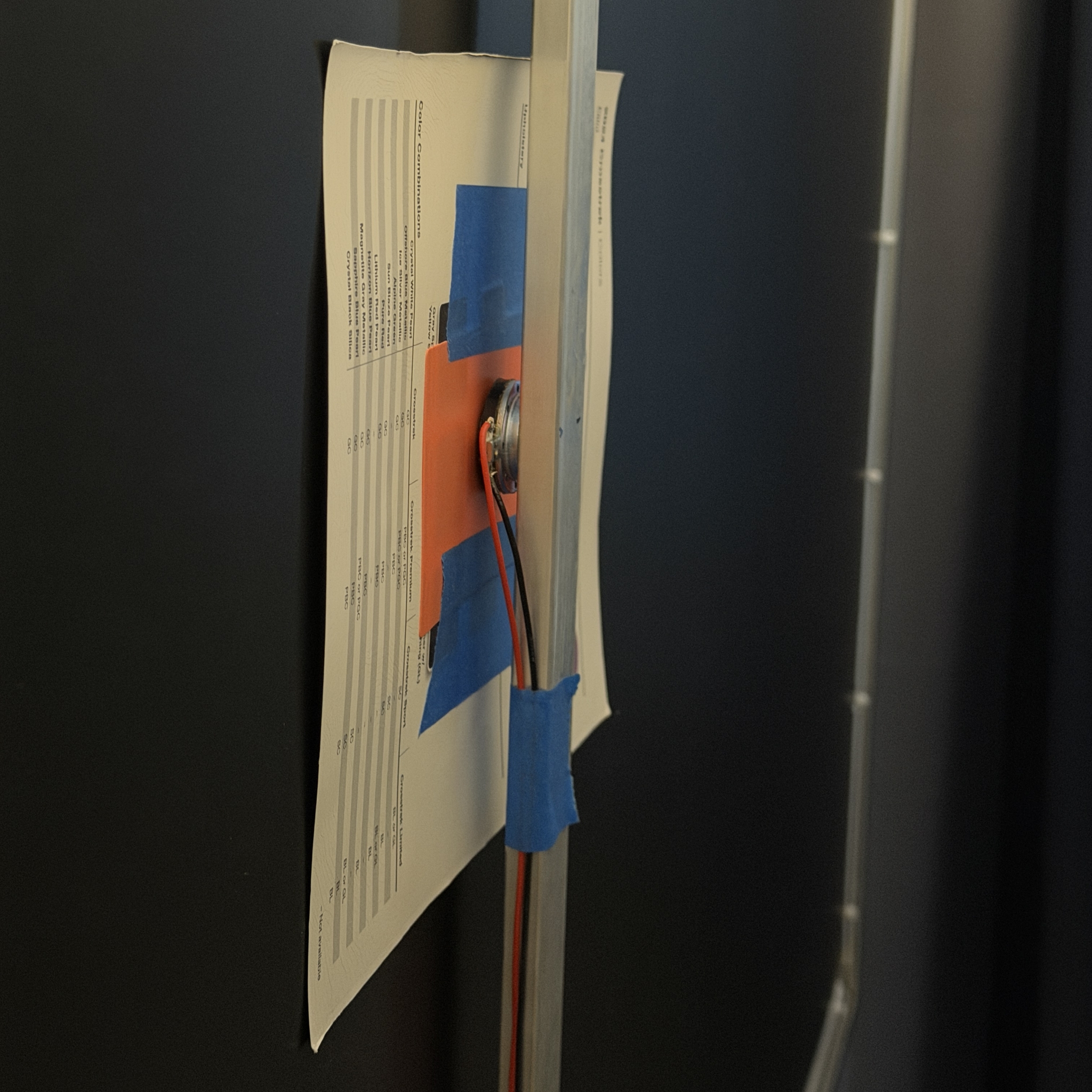
The exact frequency doesn't seem to matter much, although I suspect it's better not to be too close to the frame rate to avoid low-frequency aliasing artifacts. The amplitude can be tiny; it just has to move the screen enough to disrupt the coherency of the light reflecting off the rough surface into your eyes. I wanted to see what kind of waves were being driven onto the screen, though, so I did another test with some oblique lighting and a higher amplitude:
This was shot at 52fps, so the 55Hz driving frequency aliases down to a period of 18.33 frames per cycle, or a little over 1Hz when played back at 24fps as above. This makes it easy to see the waves propagating out from the center of the screen, like ripples on water. The propagation speed depends on the weight and tension of the screen material. I'm not sure what the dimples in the center are; they don't line up with the corners or edges of the card stock pusher. They might just be non-uniform stretching of the screen material around the contact area. But they're not visible at all under normal overhead lighting:
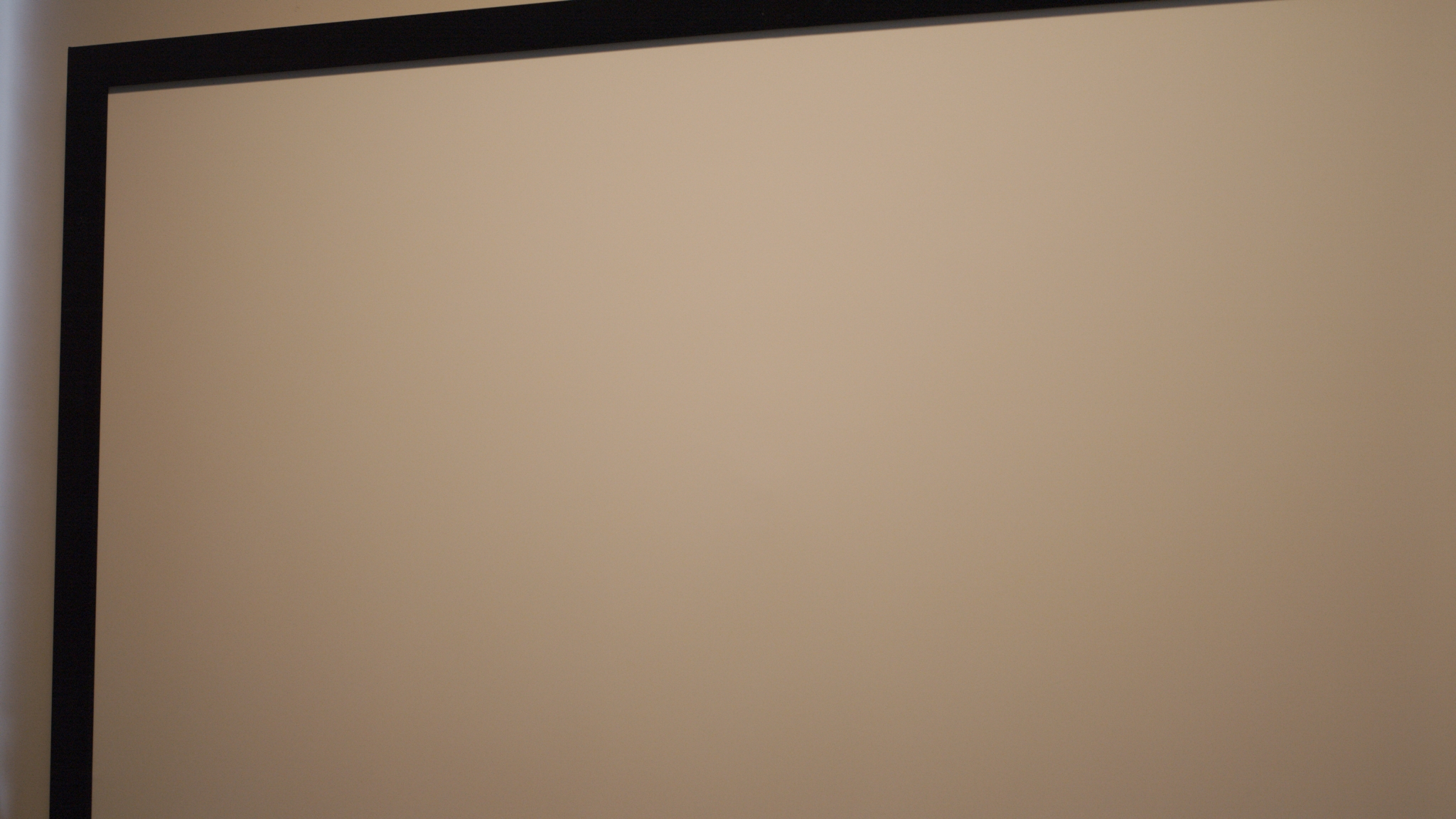
And there's no visible sign of the center pusher while projecting. Still, using two exciters on the edges or corners would fully prevent any center-screen discontinuities, so I can see why that seems to be the most common implementation. The optimal position, frequency, and amplitude probably varies a lot with screen material and tensioning, as well. But it seems like it only takes a small amount of vibration to drastically reduce the laser speckle.
To further streamline the setup, I designed a small USB-powered PCB to drive the exciter:
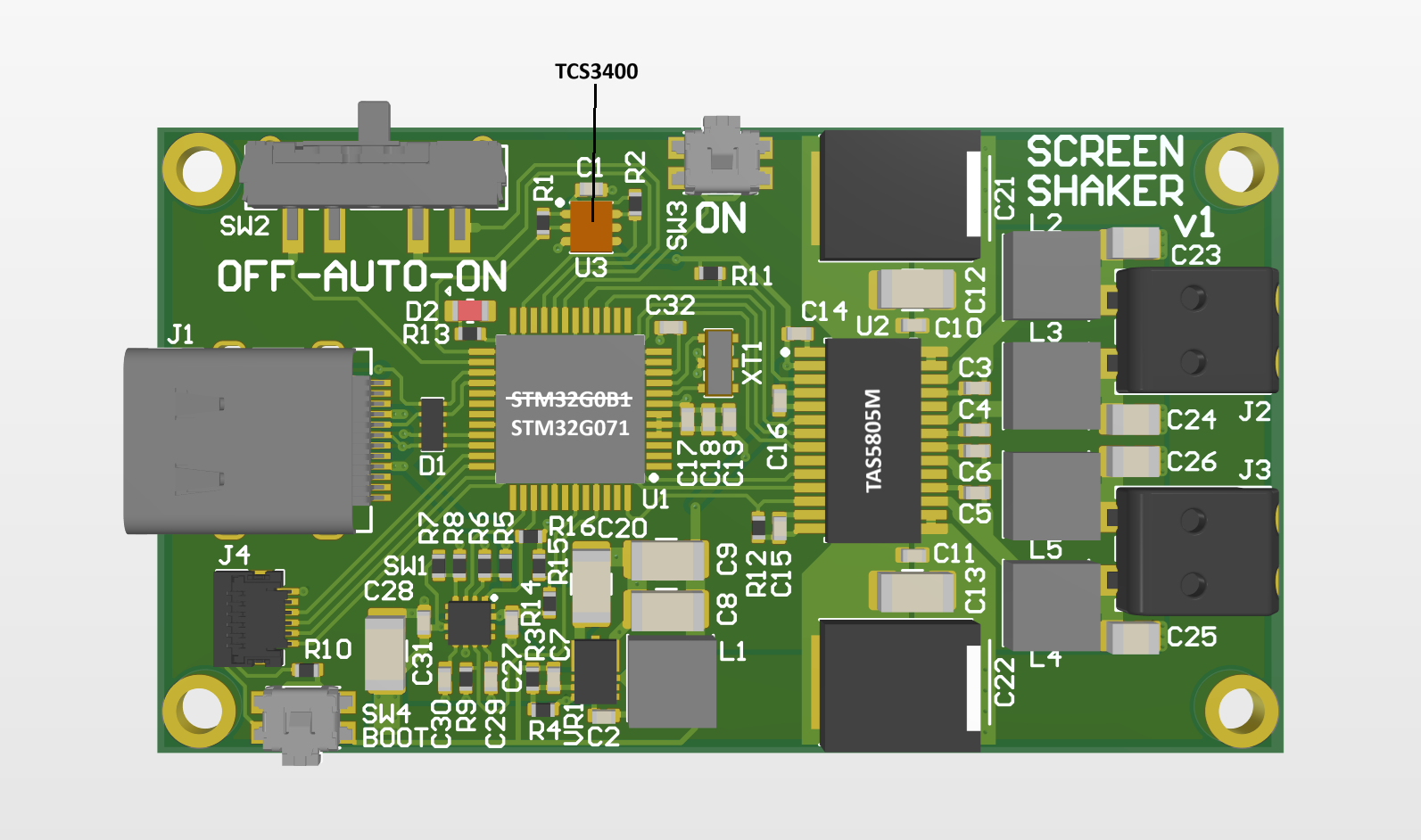
It's built around a TAS5805M Class-D audio amplifier, which could drive two much larger exciters if needed. The STM32G0B1 STM32G071 (man, part sourcing in 2027 is going to suck...) includes a USB PD controller for negotiating up to 20V from a PD source. For my setup, I only need one channel and 5V is plenty, but I wanted to leave open the possibility for more power.
I also wanted to automate the turn-on, so I included a TCS3400 color ambient light sensor, which measures four channels of ambient light (white, red, green, and blue) with sampling times as short as 2.8ms. Even though this is a considerable fraction of the 240Hz color cycle period, it's possible to offset the sampling time by, say, 1/4-period each cycle in order to get a different overlap of the R, G, and B periods:
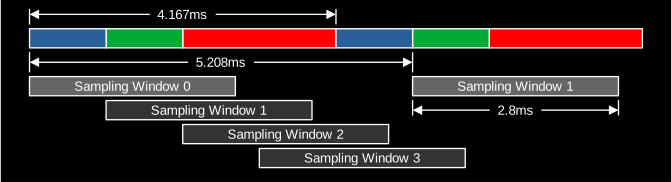
It doesn't need to be synchronized to the exact projector frequency, since it's only the presence of rapidly-changing R, G, and B values that really matters. The detector just looks for cycle-to-cycle RGB differences above a certain threshold. Ordinary lighting will give the same R, G, and B values in all four sample window phases. Some additional logic is required to filter out ordinary lights turning on and off, and to avoid switching the driver off during short periods with no detection, such as a dark scene. But overall it's pretty easy to accurately detect the RGB triple laser light source with this sensor and some simple software.
So, all I have to do is leave the board pointed in the general direction of the screen. I have it leaned against the back of my soundbar, which also conveniently has a powered USB port that I can plug it into. (It's powered all the time, or else I could have just used that to turn on the shaker.) Below is a quick video showing it ignoring the ordinary room lights turning on and off, but quickly detecting the projector light. The driver is on when the red LED lights up.
[FLASHING LIGHT WARNING]
I don't think it draws much power at all when not driving the exciter, but I'll probably add a sleep cycle where it wakes up every few seconds and samples for a small number of cycles to see if the projector is on. I'm quite happy with how this method works, though. It seems way easier (and less expensive) than changing screen materials. Hopefully, some screen makers will start to sell something like this as an accessory, since RGB triple laser projectors are becoming more popular. But for now, it made for a fun DIY project.
